> ## Documentation Index
> Fetch the complete documentation index at: https://docs.pxxl.app/llms.txt
> Use this file to discover all available pages before exploring further.
# Deployment Sources
> Choose the source that matches how your project is stored.
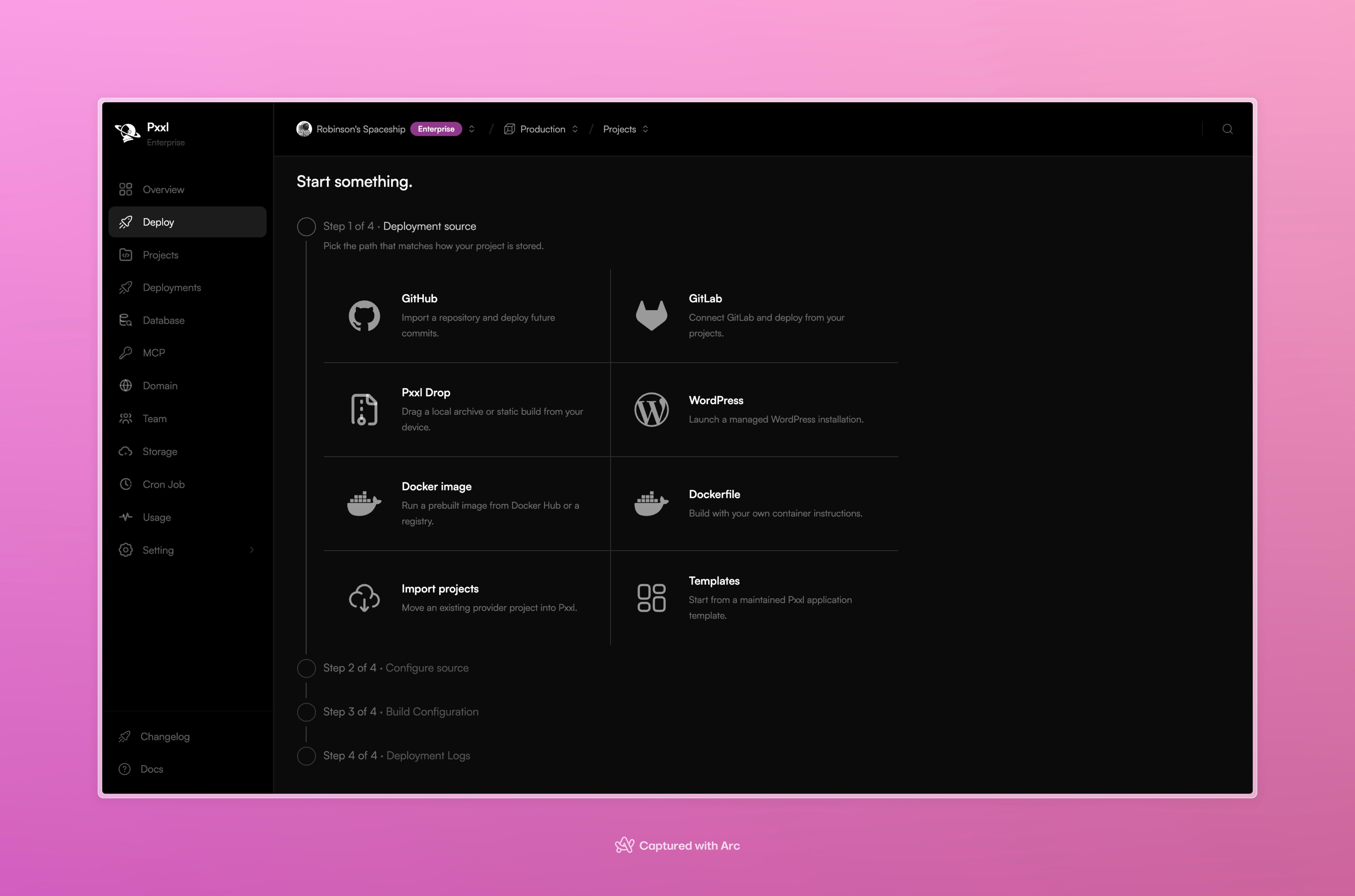
The first step in Deploy is **Deployment source**. Choose the path that matches the project you want to run.
 ## Source options
| Option | Choose it when | What happens next |
| - | - | - |
| **GitHub** | The project is in a GitHub repository. | Connect GitHub, select a repository and commit, then let Pxxl analyze it. Future commits can be deployed from the connected source. |
| **GitLab** | The project is in GitLab. | Connect GitLab and select the project to deploy. |
| **Pxxl Drop** | You have a local archive or static build. | Drag the archive or build into Pxxl and choose the release settings. |
| **WordPress** | You want a managed WordPress installation. | Provide the WordPress setup details and let Pxxl create the service. |
| **Docker image** | You already have a built image. | Enter the image from Docker Hub or another registry. Pxxl runs it as a Web Service. |
| **Dockerfile** | You need your own container instructions. | Upload or select the Dockerfile and let Pxxl build the image. |
| **Import projects** | The project already exists with another provider. | Bring provider metadata and project settings into Pxxl before deployment. |
| **Templates** | You want to start from a maintained Pxxl template. | Choose a template, create its repository, and continue through build configuration. |
Some sources are available only on plans that include the relevant feature.
## Choosing quickly
* Use **GitHub** or **GitLab** for ongoing repository-based deployments.
* Use **Pxxl Drop** for a one-off local archive or static release.
* Use **Docker image** when the image is already built.
* Use **Dockerfile** when Pxxl should build the image from your instructions.
* Use **Templates** when you want a ready starting point.
* Use **Import projects** when moving an existing application into Pxxl.
This documentation is built and hosted on [Mintlify](https://mintlify.com), a developer documentation platform.
## Source options
| Option | Choose it when | What happens next |
| - | - | - |
| **GitHub** | The project is in a GitHub repository. | Connect GitHub, select a repository and commit, then let Pxxl analyze it. Future commits can be deployed from the connected source. |
| **GitLab** | The project is in GitLab. | Connect GitLab and select the project to deploy. |
| **Pxxl Drop** | You have a local archive or static build. | Drag the archive or build into Pxxl and choose the release settings. |
| **WordPress** | You want a managed WordPress installation. | Provide the WordPress setup details and let Pxxl create the service. |
| **Docker image** | You already have a built image. | Enter the image from Docker Hub or another registry. Pxxl runs it as a Web Service. |
| **Dockerfile** | You need your own container instructions. | Upload or select the Dockerfile and let Pxxl build the image. |
| **Import projects** | The project already exists with another provider. | Bring provider metadata and project settings into Pxxl before deployment. |
| **Templates** | You want to start from a maintained Pxxl template. | Choose a template, create its repository, and continue through build configuration. |
Some sources are available only on plans that include the relevant feature.
## Choosing quickly
* Use **GitHub** or **GitLab** for ongoing repository-based deployments.
* Use **Pxxl Drop** for a one-off local archive or static release.
* Use **Docker image** when the image is already built.
* Use **Dockerfile** when Pxxl should build the image from your instructions.
* Use **Templates** when you want a ready starting point.
* Use **Import projects** when moving an existing application into Pxxl.
This documentation is built and hosted on [Mintlify](https://mintlify.com), a developer documentation platform.