> ## Documentation Index
> Fetch the complete documentation index at: https://docs.pxxl.app/llms.txt
> Use this file to discover all available pages before exploring further.
# Secrets
> Manage environment variables used by a Pxxl project during build and runtime.
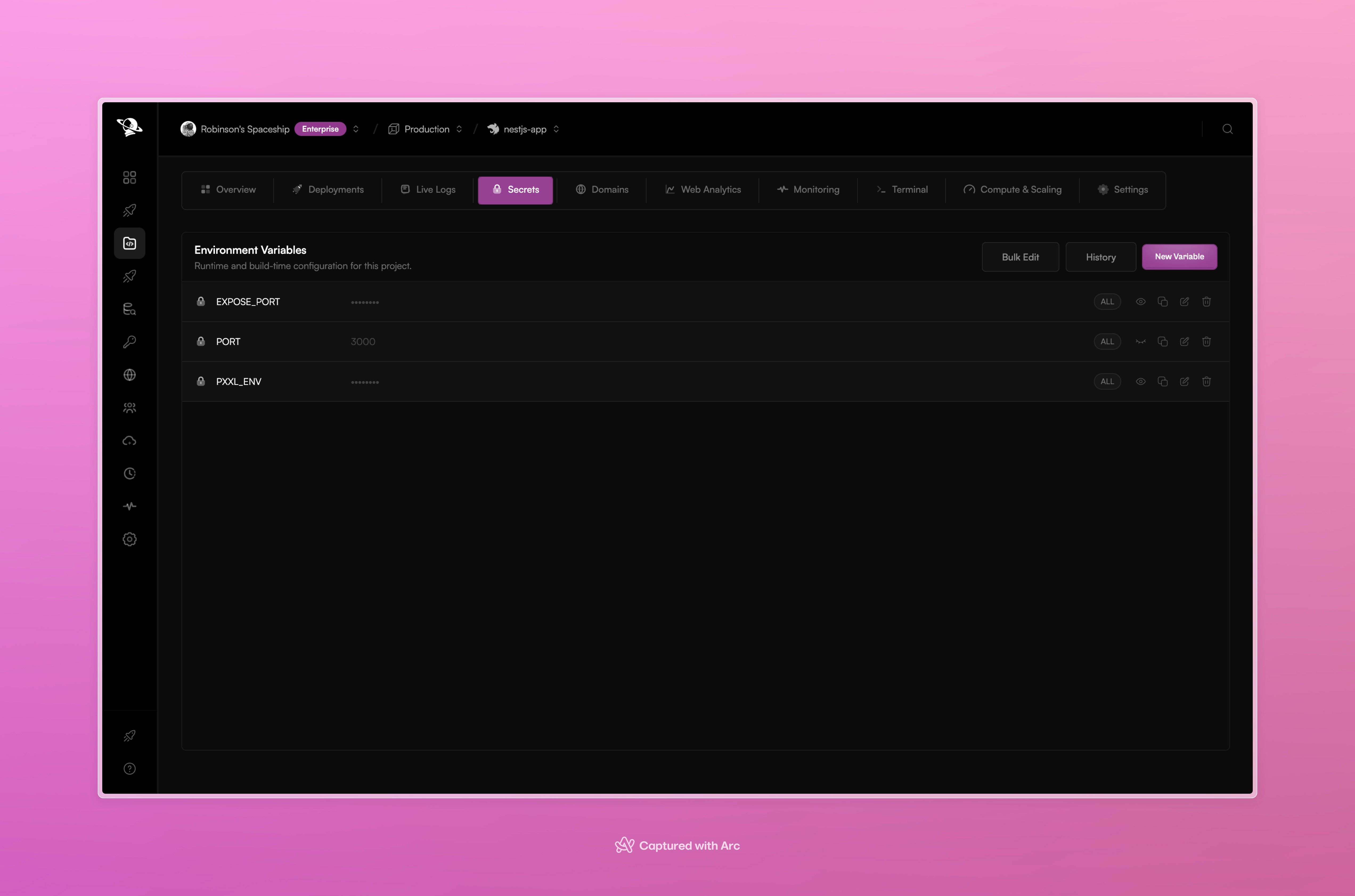
The **Secrets** tab manages environment variables for a project. Use it for API keys, database URLs, credentials, feature flags, and other configuration that should not live in source control.
 ## Variable scopes
| Scope | Use it for |
| - | - |
| **Global** | A value shared by several projects in the workspace. |
| **Project** | A value used only by this project. |
The scope shown on each row tells you where the value comes from. Keep project-specific credentials at project scope unless they truly need to be shared.
## Add or change a variable
1. Open the project and select **Secrets**.
2. Choose **New Variable**.
3. Enter the name, value, and scope.
4. Save the variable.
5. Redeploy the project when the running application needs the new value.
Use **Bulk Edit** when several variables need to change together. Use **History** to review previous changes.
## How Pxxl uses secrets
Variables can be provided to the build process and to the running service. Pxxl keeps secret values masked in the dashboard. A frontend build can still expose a value if the framework intentionally embeds it into browser files, so keep browser-safe values separate from server secrets.
Changing a variable does not change an already running process by itself. Deploy the project again so the new environment reaches the runtime.
This documentation is built and hosted on [Mintlify](https://mintlify.com), a developer documentation platform.
## Variable scopes
| Scope | Use it for |
| - | - |
| **Global** | A value shared by several projects in the workspace. |
| **Project** | A value used only by this project. |
The scope shown on each row tells you where the value comes from. Keep project-specific credentials at project scope unless they truly need to be shared.
## Add or change a variable
1. Open the project and select **Secrets**.
2. Choose **New Variable**.
3. Enter the name, value, and scope.
4. Save the variable.
5. Redeploy the project when the running application needs the new value.
Use **Bulk Edit** when several variables need to change together. Use **History** to review previous changes.
## How Pxxl uses secrets
Variables can be provided to the build process and to the running service. Pxxl keeps secret values masked in the dashboard. A frontend build can still expose a value if the framework intentionally embeds it into browser files, so keep browser-safe values separate from server secrets.
Changing a variable does not change an already running process by itself. Deploy the project again so the new environment reaches the runtime.
This documentation is built and hosted on [Mintlify](https://mintlify.com), a developer documentation platform.