

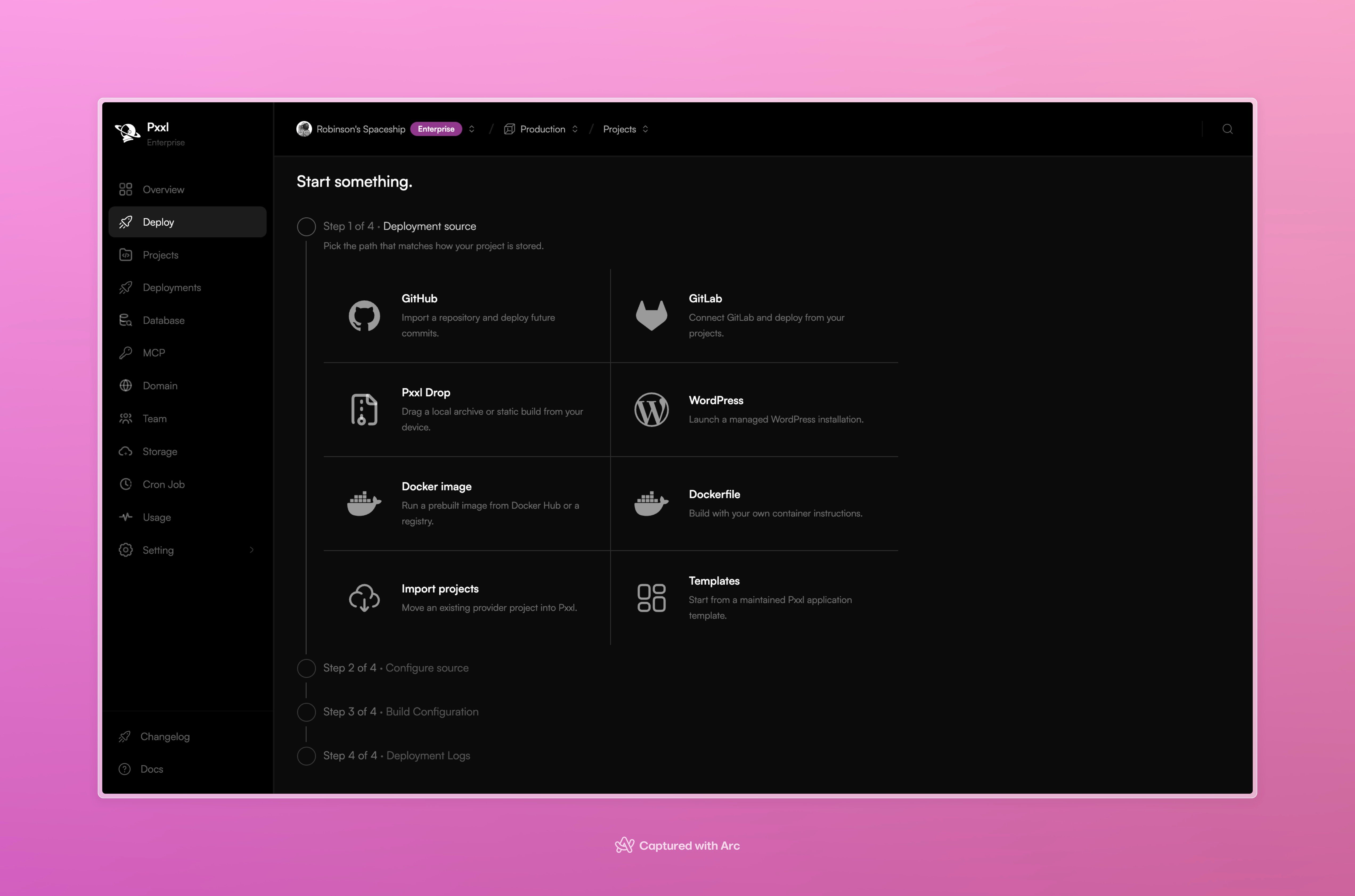
Some sources need a paid plan.
GitHub
1
Install the GitHub App
In Deploy, choose GitHub and install the Pxxl GitHub App. Give it access to the repositories you want.
2
Pick the repository and branch
Pxxl scans the repo and fills in the build settings.
3
Deploy
Check the settings and choose Deploy Project.
- Every push to the deploy branch starts a new deployment.
- Pull requests can get their own preview deployment with its own URL. Turn on preview environments in the project’s build settings.
- Commits to other branches don’t touch production.
Docker
Docker image: enter the image name, such asghcr.io/acme/api:1.4.0. Pxxl pulls and runs it as a web service. Set the port your container listens on.
Dockerfile: Pxxl builds the image from the Dockerfile in your base directory. Your app should still listen on $PORT:
Pxxl Drop
Drag a zip or a built folder (for exampledist) into Pxxl Drop. Good for one-off static sites and demos. There’s no Git history, so redeploys need a new upload.
Monorepos
Set Base directory to the folder of the app you want, such asapps/web. For several apps in one repo, see Monorepos and multiple services.