
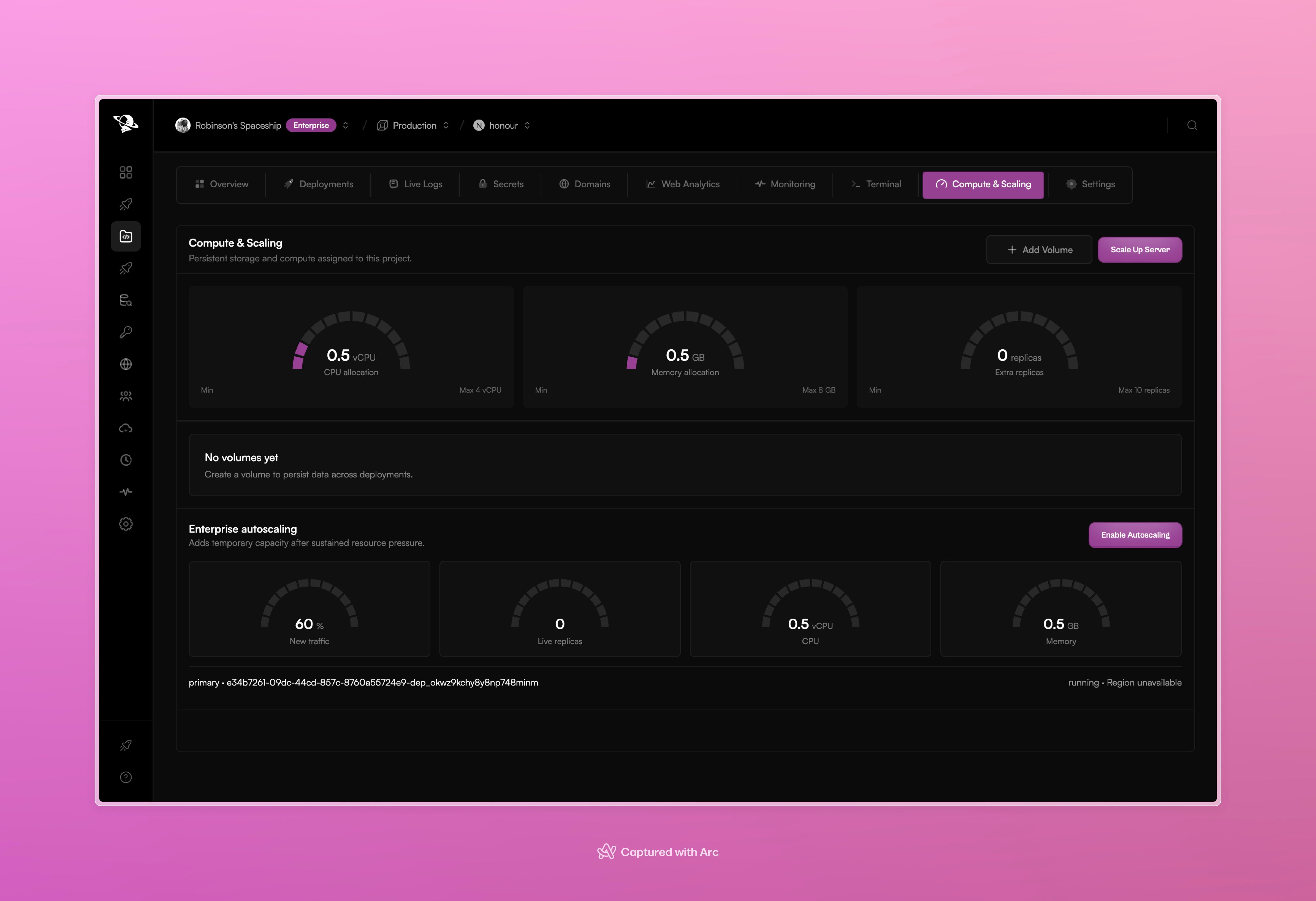
Compute & Scaling shows the current allocation, volumes, and autoscaling controls.
Resource allocation
Use Scale Up Server to review and change:- CPU allocation
- memory allocation
- additional runtime replicas
Persistent volumes
Use Add Volume when the application needs data to survive a new deployment or runtime restart. Each volume has:- a nickname
- a mount path inside the application
Autoscaling
Enterprise workspaces can enable autoscaling. Pxxl adds temporary capacity after sustained resource pressure and shows current traffic, live replicas, CPU, and memory in the autoscaling section. Autoscaling is different from a manual scale change:- Manual scaling changes the project’s normal allocation.
- Autoscaling adds temporary capacity when its thresholds are reached.